

The new breed of executive coaches will, in large part, be defined by their ability to service their clients in a way that maximizes process efficiency. With executives facing increasing demands on their time and travel, a new wave of leadership coaching is increasingly being delivered online. To succeed in this rapidly changing environment, coaches must be equipped to successfully host video-based coaching sessions. If you are familiar with meeting platforms such as BlueJeans, Microsoft Teams, and GoToMeeting, then you are one step ahead of the game. And if this is going to be your first time coaching through video, there are numerous reasons to celebrate – the most exciting of which is that you can do this well by following a few simple steps.

1) Before the Coaching Session
Prepare your system in advance. Ask the Leader to restart their computer at least 20 minutes before the coaching session starts.
Use a computer and not a smart device (tablet or phone) since the application features are less rich then on a computer and you need a screen size of more than 13 inch.
Make sure your camera and microphone are working properly.
☛ Tips:
It is better to use headphones and/or a collar microphone (lapel mic) instead of your laptop’s, to ensure clear communication.
Use a headset / microphone that are connected with a cable to your PC. Cables are much more stable than Bluetooth.
It would be better to use an Ethernet cable connection instead of WiFi to assure a stable connection. Test your internet speed using speedtest.net as it may vary during the day. A speed of 10 MB/sec up and down is enough to run a good video-meeting.
Whenever possible, have a second way for the Leader to connect via audio (e.g. phone), as well as a back-up communication channel (phone, text message, chat, etc.).
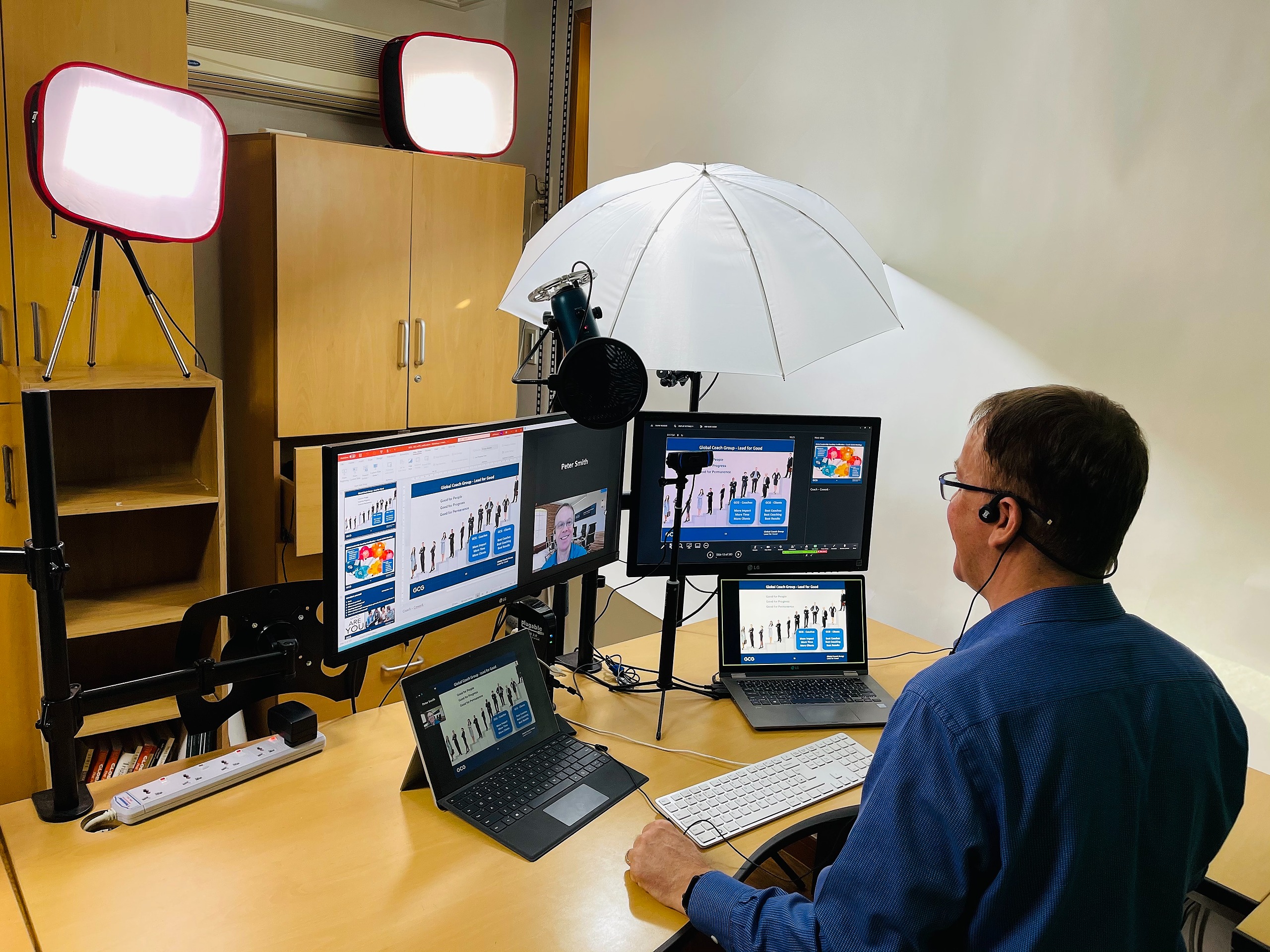
Use a second screen for screen sharing. This makes it easier for you to see what the leader sees and you can prepare documents to share from the other screen and then slide them onto the share screen.
Find a quiet location. Considering that the agenda of the coaching sessions includes topics that are confidential, make sure to conduct the meeting from a location which is going to have minimal background noise.
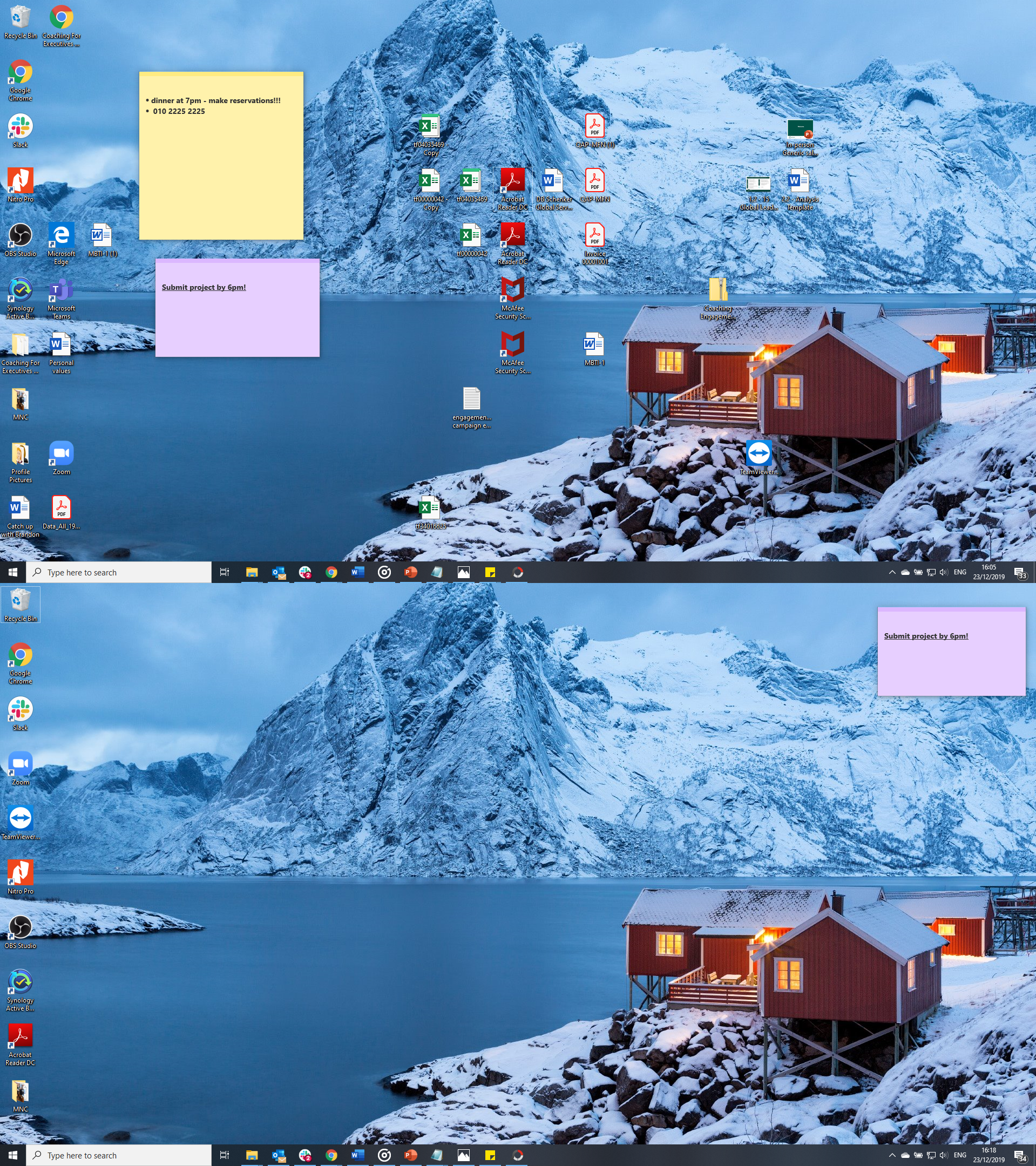
Clean up your desktop. A desktop full of icons and shortcuts can be distracting for the Leader and could include something which is confidential.
Turn off messaging applications. If you are logged into any instant messaging services on your computer, it is advisable to log out completely or set your status to “do not disturb”. This is to avoid the Leader potentially seeing any instant messages you receive during the meeting, which could contain private data.
Exit from all your other e-meeting applications. Make sure you are signed out from and exited all other video meeting application like Skype since they might block to use of your camera and other equipment.
Open your meeting files. If you intend to share multiple files during the presentation, you should have them all open before the coaching session begins so they are just a click away in your task bar.
2) During the Coaching Session
Set a clear and well communicated agenda. Clear objectives can avoid confusion. As usual, it is useful to prepare an agenda with all the items to be discussed during the coaching session and clearly mention what role you expect from the Leader in the meeting.
Collaborate with Screen Sharing. Screen sharing technology allows you to engage the Leader at a deeper level.
Minimize distractions. Make sure you are in a well-illuminated room with a clean background.
Conclude the session with clear action items. It is the coach’s responsibility to extract action items for each of the agenda points and get acknowledgment from the Leader. The key rule is to identify an action item, assign it to the Leader and agree on a due date.
3) Bonus Tips for the True Professional
☛ Speak clearly and make sure that there are enough pauses after asking a question.
☛ Sit up taller and make sure your posture complements the message that you are trying to convey. Remember to keep your arms uncrossed, as this typically creates the impression that you are defensive, uncomfortable, or tired.
☛ Learn how to handle audio delays. The best way to do this is to speak calmly and assure the Leader that the problem will be sorted. For example, you can say “I am going to continue talking softly and slowly until I get a confirmation that you are here…If you can hear me, go ahead and give me a thumbs up so I know you can hear me.” Just droning until something happens can show that you are in control, even when the system is acting up.
☛ Use an external camera on a tripod that you can adjust in height and location. Make sure your camera is at the height for your face and not lower (which causes people to look up your nose) or higher (as people can look down your shirt).
☛ Maintain eye contact by looking into the camera regularly. Consistent eye contact helps in creating a lasting impression and contributes to a positive conversation.
☛ Dress professionally. Choose solid colors and try to avoid patterns, plaids, and stripes. Buttoned up shirts and blouses are recommended (see above), and when it comes to jewelry, simple jewelry is best.
A quality coach can deliver excellent services through the digital ecosphere with the right skills. The tips above are the perfect starting point to build the skills necessary to thrive online. By adhering to these principles you will demonstrate your professionalism as a coach and your expertise as a technologist (whether you feel like one or not!). Finally, if you have questions, comments, or concerns about your ability to successfully host a video coaching session, email us at coachsupport@globalcoachgroup.com
Best of luck!